
Most of the planning for a move from Salesforce CPQ goes into pricing logic and product rules. The data gets less attention, and that is where the surprises live. Revenue Cloud data migration is the work of moving your catalogue, pricing data, open deals and installed base into a different data model without losing a relationship or changing a price. This guide covers that part of the project only. For the whole programme, from inventory to cutover, start with our practical CPQ to Revenue Cloud migration plan.
Where things stand in October 2026
Salesforce CPQ has been end of sale since March 2025. Salesforce’s end-of-sale guidance is clear that this is not end of life: existing customers can keep using CPQ, renew, add users and receive support, there is no forced migration, and no end-of-life date has been announced. New investment goes to Revenue Cloud Advanced, which Salesforce positions as part of its Agentforce Revenue Management suite.
Salesforce’s CPQ migration page sets out four migration paths, from a lift and shift of existing configuration and data to a full rationalisation of catalogue and pricing. It also describes four rollout approaches: a single cutover, a pilot, a bridge where new business starts in Revenue Cloud while existing contracts run to renewal, and a staged rollout by cohort. Salesforce says a typical migration takes three to six months, longer for complex orgs, and that CPQ-specific objects, custom fields, pricing rules and scripts do not map directly. It also points customers to partner-built migration tools. Whichever tooling you use, the data decisions below remain yours.
Data moves; logic is rebuilt
Records can be transformed and loaded. Logic cannot. Price rules, product rules, Quote Calculator Plugin code and quote templates have no direct equivalent: they are redesigned as declarative pricing procedures and constraint-based configuration. Our migration plan covers that redesign. This article assumes the new design exists and asks a narrower question: how do you get the data into it intact?
The four data domains
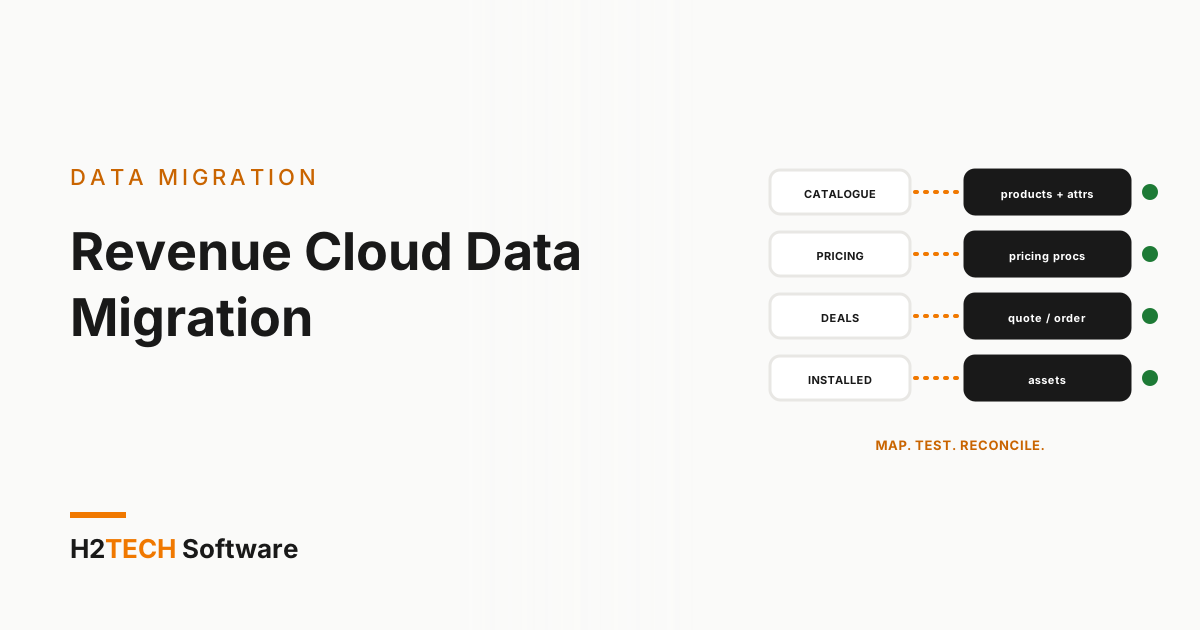
Treat the migration as four separate data moves, each with its own source, target and decision.
- Product catalogue. From products,
SBQQ__ProductFeature__candSBQQ__ProductOption__cto products with attributes and product selling models. The decision: which near-duplicate SKUs collapse into one product with attributes. - Pricing data. From price books,
SBQQ__DiscountSchedule__candSBQQ__PriceRule__cto price book entries and pricing procedures. The decision: which numbers are data to load and which are logic to rebuild. - Transactions. From
SBQQ__Quote__c,SBQQ__QuoteLine__c, orders and contracts to the standard quote, order and contract objects. The decision: which open quotes move and which close out in CPQ. - Installed base. From
SBQQ__Subscription__cand existing assets to assets and their lifecycle. The decision: how each live subscription becomes an asset with the right term and price.
Product selling models deserve early attention. Salesforce’s object reference lets a Revenue Cloud product carry several selling models, each one a way to sell it: one-time, evergreen subscription or term-defined subscription. Decide the selling model for every subscription product before anyone builds load files, because it shapes how prices, renewals and terms behave after the move.
Subscriptions to assets: the hardest move
In CPQ, what a customer owns is spread across subscription records tied to contracts, and each amendment adds new subscription lines rather than changing the old ones. Revenue Cloud tracks what a customer owns as assets and handles amendments, renewals and cancellations against those assets. Converting one into the other means collapsing a history of amendment lines into a current position per product: quantity, price, start and end dates, and the contract it belongs to.
That is why the bridge rollout often suits a live installed base. New business starts in Revenue Cloud, and each existing contract moves at its renewal, when its position is already settled. Moving a contract mid-term means recreating its amendment history exactly, and every mistake shows up on an invoice.
Before you write a single load script, pick five real contracts with messy histories and convert them on paper. If the totals do not match the invoices, the conversion rules are wrong, and it is far cheaper to find that now.
Historical quotes: convert, archive or leave
Not every old quote deserves a migration. There are three options, each with a cost:
- Convert: closed quotes are loaded into Revenue Cloud objects. Worth it only when sales and finance report on quote history every day, because it is the most transformation work for the least operational value.
- Archive read-only: export the history to a reporting store or a read-only snapshot, and record the original quote number on each converted contract so audit can trace it.
- Leave in place: history stays in the CPQ objects while the package remains installed. Cheapest today, but it ties your reporting to a package you are trying to retire.
Decide by who reads old quotes and how often. Audit and finance usually need totals and documents, not editable quote lines.
Test data for the parallel run
A parallel run proves something only when both engines see realistic data. Hand-built sandbox records rarely include a contract with four amendments, a bundle three levels deep or a customer billed in two currencies, yet those are the deals that break. Seed the sandbox with production-like records, every relationship intact and personal data masked, then push the same deals through both engines.
iSyncSF keeps test environments populated with relationship-intact, production-like CPQ data, natively inside Salesforce, so the data never leaves the platform. The principle is the one behind preserving the relationship graph in any migration: records without their links are not test data.
Reconciliation: prove nothing changed
Count and compare before anyone signs off:
- Record counts per object, source against target, with every difference explained.
- Price parity on real deals: the same deal priced in both engines reaches the same total, line by line.
- Installed base totals: assets per account and their annual value match the contracts they came from.
- Orphans: no child record left without its parent after the load.
- A log of every load batch, so any mismatch traces back to the run that caused it.
Keep the reconciliation scripts. You will run them again at go-live, and the same checks belong in the rehearsal described in our zero-downtime org cutover guide.
Prepare the data before any migration tool
Migration tooling, from Salesforce or from partners, will convert some of your data and flag the rest. Its output is only as good as what you feed it. Use the time before you choose one: retire products nobody sells, close out stale quotes, fix contracts whose subscriptions no longer add up, and write down which fields carry business meaning.
Run any tool against a sandbox first and read its report as a scope document: whatever it cannot convert is your real project. Then ask your account team three questions. What converts automatically? What is flagged for manual rebuild? What does it cost to use?
How we help
Our data migration team plans and runs the data side of a move off CPQ: domain mapping, conversion rules, load sequencing and reconciliation. Our CPQ consultants help you plan the move to Revenue Cloud, and iSyncSF keeps test environments populated with relationship-intact data.
Frequently asked questions
Is Salesforce CPQ end of life?
No. It has been end of sale since March 2025. Existing customers remain supported and can renew, there is no announced end-of-life date and no forced migration.
How long does the data migration take?
Salesforce puts a typical CPQ migration at three to six months overall. The data work runs inside that window, and its length usually depends on how many live contracts carry complex amendment histories.
Do we have to migrate historical quotes?
No. Convert, archive or leave them in place, depending on who reads them. If in doubt, archive closed quotes and convert only open deals.
Key takeaways
- Revenue Cloud data migration is four separate moves: catalogue, pricing data, transactions and installed base, each with its own decision.
- Converting subscriptions to assets is the hardest step: move live contracts at renewal and prove the rules on real contracts first.
- Test on masked, relationship-intact data and reconcile counts, prices and asset totals before anyone signs off.